
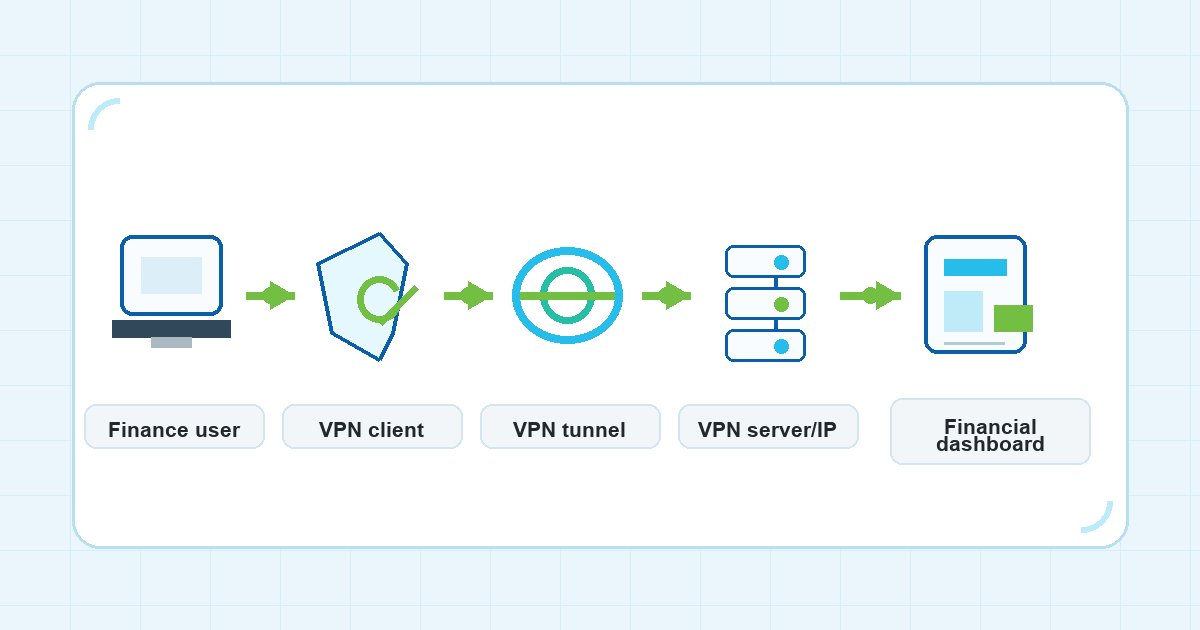
Finance work often happens outside one fixed office. A founder checks cash flow from a hotel. An accountant reviews tax files from home. A finance operator opens a payment dashboard from a coworking network, then again from mobile data on the way to a meeting.
That flexibility is useful, but it can make access patterns look messy. Financial dashboards may see logins from different networks, cities, or shared public connections. A dedicated IP VPN or static IP VPN concept can sometimes help teams create a more predictable network route for sensitive work. It is not a magic pass, and it should never replace account security basics, but it can be worth discussing when finance access has become noisy or hard to manage.
This guide explains the idea in plain English, without assuming that every finance team needs the same setup.
What does a dedicated VPN IP mean?
A VPN changes the network path between your device and the websites or services you use. Instead of connecting directly from the local network, your traffic goes through a VPN server first.
With many VPN setups, the visible VPN server IP may be shared by many users or may change when you reconnect, switch servers, or use a different location. That can be fine for everyday privacy hygiene and public Wi-Fi protection. For some finance workflows, though, constantly changing visible IP addresses may add friction.
A dedicated VPN IP is the general idea of using a VPN exit IP that is assigned for a narrower use case instead of being widely shared. A static IP VPN is the related idea of using a VPN route where the visible IP address stays consistent over time. People often use these phrases loosely, so the practical question is simple: does your team need a more stable network identity when accessing finance tools?
That question should be answered together with your IT owner, platform admin, or finance lead. A stable IP can be useful only when it fits the rules of the dashboards you use.
Why finance dashboards are different from casual browsing
Finance dashboards are not ordinary websites in the way teams use them. They can include banking, accounting, payment, invoicing, tax, payroll, reporting, or cash-management systems. The stakes are higher because access often connects to money movement, business records, client data, or internal approvals.
That does not mean a VPN solves every risk. It means finance teams should be intentional about the network conditions they use for routine work.
Changing networks can create practical questions:
- Are team members opening dashboards from public Wi-Fi?
- Are logins happening from many cities, offices, hotels, or mobile networks?
- Does the platform support IP allowlisting, and is it appropriate for your workflow?
- Who owns access policy: the finance team, IT, an outside accountant, or the platform admin?
- What happens if someone cannot access a dashboard during a deadline?
A stable VPN IP concept may help some teams reduce network-related variation. It does not decide whether a login is allowed, whether a transaction is safe, or whether an account complies with the platform’s rules.
Should you use VPN for online banking?
The question should you use VPN for online banking does not have one universal answer. It depends on the network, the bank or financial platform, the team’s policies, and the security controls already in place.
On public or shared Wi-Fi, a VPN can add a protected network tunnel between your device and the VPN server. That can be useful when you do not trust the local network at a hotel, airport, cafe, or coworking space. At the same time, most financial sites already use HTTPS, and the bank or platform may have its own risk checks.
For finance teams, a better question is: what access pattern does the platform expect, and how can the team make that pattern consistent without weakening account security?
A VPN should sit alongside other controls:
- MFA for dashboard accounts.
- Strong, unique passwords stored in a password manager.
- Device updates and endpoint protection.
- Clear approval rules for payments and account changes.
- User access reviews when team members join, leave, or change roles.
- Platform-specific guidance from the finance tool, bank, or IT owner.
If a financial platform warns against VPN use, requires a specific access method, or has its own allowlisting rules, follow that policy. A VPN setup should support the workflow, not work around rules you are required to follow.
Where a static IP concept may help
The relationship between a VPN and static IP address matters most when a dashboard can use network location as one input in access decisions.
For example, a small finance team may have people working from different places but still want dashboard access to come through a predictable route. If the platform supports allowlisting, the team may ask whether a stable VPN IP can be added to the allowed network list. That can make access easier to reason about than a mix of home networks, hotel Wi-Fi, mobile hotspots, and coworking connections.
This is still a policy decision, not only a technical one. Before making changes, the team should confirm:
- Whether the dashboard supports IP allowlisting.
- Whether allowlisting a VPN IP is allowed by the platform’s terms and guidance.
- Who can approve and maintain the allowed IP.
- What the fallback process is if the VPN route is unavailable.
- Whether contractors, accountants, or outside finance partners should use the same route.
A stable IP can reduce some network-related friction, but it can also create operational work. Someone has to document it, maintain it, remove access when it is no longer needed, and make sure the team does not treat it as the only security layer.
When a dedicated IP VPN may not be the right answer
A dedicated IP VPN concept is most useful when the problem is actually network predictability. It is less useful when the problem is account hygiene, unclear ownership, risky device behavior, or platform policy.
It may not be the right first move if:
- Team members share one dashboard login instead of using named accounts.
- MFA is missing or inconsistently used.
- The team does not know who owns finance-tool administration.
- People access dashboards from unmanaged or outdated devices.
- The platform does not support, recommend, or allow IP-based access controls.
- The team expects a VPN to prevent every fraud warning or login challenge.
In those cases, start with account and process basics. A predictable network route can help only after the access model itself is sound.
A practical decision framework for finance teams
Use this framework before asking for a static or dedicated VPN IP setup.
1. Map the dashboards that matter
Write down which financial systems are in scope: banking, accounting, payments, payroll, tax, reporting, or internal admin panels. Keep the list focused. Not every website needs the same access model.
2. Identify who needs access
Separate employees, founders, accountants, contractors, and outside advisors. Each person should have the minimum access needed for their role. A VPN route should not be used to hide unclear permissions.
3. Check platform rules
Look for official guidance from the financial platform or ask the account administrator. The key question is not simply whether a VPN works. It is whether the platform accepts that access pattern and whether IP allowlisting is supported.
4. Decide what problem you are solving
If the problem is untrusted Wi-Fi, a VPN can be part of the answer. If the problem is inconsistent login locations, a static route may be worth discussing. If the problem is weak passwords or shared accounts, fix that first.
5. Document the fallback
Finance work has deadlines. If the VPN route fails, the team should know who can approve emergency access, what network is acceptable, and how to avoid rushed decisions around payments or account changes.
How VPN Satelites readers can think about the setup
For VPN Satelites readers, the safest way to approach this topic is to treat a VPN as one piece of a finance-access routine.
A thoughtful routine might look like this:
- Use trusted devices for finance work.
- Avoid opening sensitive dashboards on unknown public networks when possible.
- Use a VPN when working from shared or travel networks, if it fits platform policy.
- Consider whether a stable VPN IP concept is useful for dashboards that support IP-based rules.
- Keep MFA, password management, account permissions, and approval workflows in place.
This balanced approach avoids two common mistakes. The first mistake is treating every changing network as harmless. The second is assuming a VPN can guarantee safe access by itself. Finance teams need a more practical middle ground.
FAQ
Is a dedicated IP VPN the same as a static IP VPN?
Not always. People often use the terms together, but they can mean different things depending on the service and setup. In this article, a dedicated IP VPN means a VPN IP intended for a narrower assigned use case, while static IP VPN refers to the broader idea of a VPN route where the visible IP address stays consistent. Confirm the exact meaning before changing a finance workflow.
Can a static VPN IP guarantee access to financial dashboards?
No. A static IP can be one input in an access policy, but it does not guarantee login success, dashboard availability, fraud-score outcomes, or platform approval. Financial platforms may still require MFA, device checks, location checks, user permissions, or additional verification.
Is a VPN enough for secure access to financial dashboards?
No. Secure access to financial dashboards should include account security, device hygiene, MFA, role-based permissions, clear approval workflows, and platform-specific rules. A VPN can help with the network part of the workflow, especially on shared or changing networks, but it should not be treated as a complete security program.
Should small finance teams allowlist a VPN IP?
Only if the dashboard supports it, the policy owner approves it, and the team can maintain it. Allowlisting can make sense for some sensitive admin workflows, but it can also create lockout risk or operational overhead if nobody owns the setup.
What should finance teams check before changing VPN access?
Check the platform’s rules, internal policy, who owns administration, whether MFA is enforced, whether users have named accounts, and what fallback process applies during deadlines. If those basics are unclear, resolve them before relying on a dedicated or static IP setup.
Final takeaway
Finance teams do not need a dedicated VPN IP just because they use financial dashboards. They may need one when predictable network identity solves a real access-management problem and fits the platform’s rules.
Start with the workflow: who signs in, from where, on which device, under whose policy, and with what backup plan. Then decide whether a stable VPN IP concept belongs in that workflow. Used carefully, it may help reduce some network-related friction. Used as a shortcut, it can distract from the controls that finance teams still need most.