
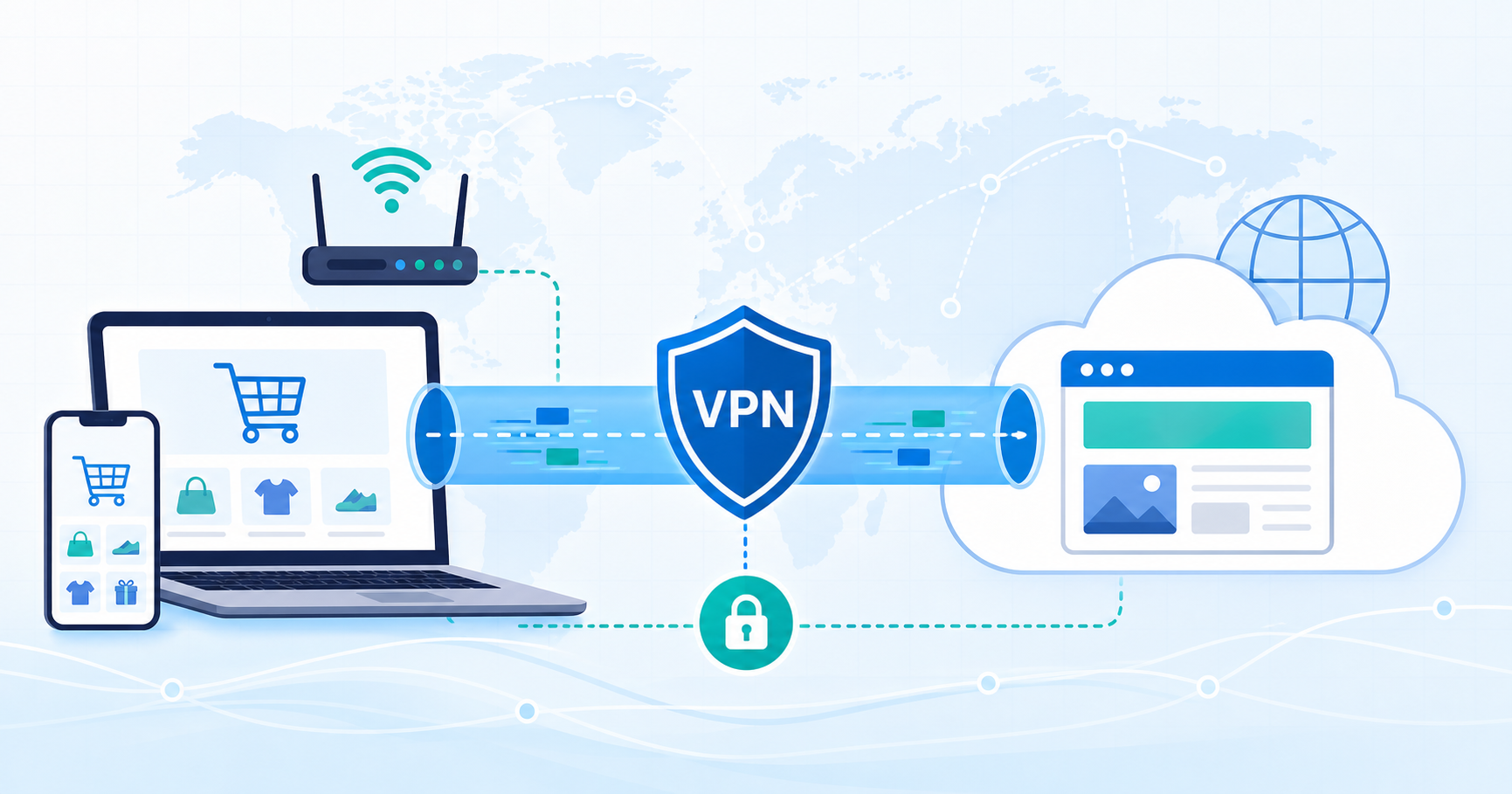
Online shopping feels routine until you stop and think about the networks between you and the store. At home, your internet service provider can observe parts of your traffic. On hotel, airport, cafe, or shared apartment Wi-Fi, the network owner may be able to see even more about where your device is connecting. That does not mean every checkout is exposed, and it does not mean a VPN makes shopping anonymous. It does mean your network choices matter.
This guide explains online shopping privacy in practical terms: what an ISP or Wi-Fi owner may see, how a VPN changes that view, what it cannot hide from an online store, and how to shop with less unnecessary exposure.
What online shopping privacy really means
Online shopping privacy is not one single setting. It is a mix of several layers:
- what your internet provider or Wi-Fi network can see;
- what the store can see when you browse, log in, or check out;
- what your browser reveals through cookies, saved sessions, and fingerprints;
- what your payment method and shipping details reveal;
- what your own device and account security protect.
A VPN mainly helps with the first layer. When you connect through a VPN, your traffic travels through an encrypted connection between your device and the VPN server. That can reduce what your ISP or local Wi-Fi network can see about the websites you visit and the traffic route your device is using.
That is useful, but it is not the same as becoming invisible. If you sign in to a store account, use the same browser profile, enter your shipping address, or pay with a card tied to your identity, the store can still connect that activity to you.
What can your ISP see when you shop online?
Without a VPN, your ISP is part of the path between your device and the websites you visit. In many normal browsing situations, the ISP may be able to observe connection metadata such as domains your device contacts, timing, volume of traffic, and the IP addresses involved.
HTTPS is still important. On a properly secured checkout page, HTTPS helps protect sensitive page content, passwords, payment forms, and order details from being read in transit. A VPN does not replace HTTPS, and HTTPS is not useless just because a network provider can still see some connection information.
The safer way to think about the keyword phrase hide browsing from isp is this: a VPN can reduce ISP visibility into your browsing destinations and traffic path. It does not hide your shopping activity from every party involved. The online store, payment processor, delivery provider, browser, device, and any accounts you use can still carry identifying information.
Can Wi-Fi owner see websites visited?
The question can wifi owner see websites visited comes up for good reason. Many people shop while traveling, waiting at airports, working from cafes, or using shared housing Wi-Fi. In those situations, the network owner or administrator may be able to see network-level information about connected devices, including connection destinations or DNS activity depending on how the network is configured.
Again, HTTPS changes the risk. A Wi-Fi owner should not be able to read the full contents of a properly encrypted checkout page simply because you are on their network. They may still see that your device is connecting to certain domains or sending traffic at certain times.
A VPN adds another layer by encrypting the connection from your device to the VPN server. To the local network, your traffic is directed to the VPN connection rather than openly showing each shopping site as a separate destination. That is the narrow, useful privacy benefit: less network-level visibility, especially on networks you do not control.
Is it safe to shop online on public Wi-Fi?
If you are asking is it safe to shop online on public wifi, the honest answer is: it depends on what you are doing, the site you are using, and how careful you are with your device and accounts.
Public Wi-Fi is not automatically unsafe for every action, but it is less private than a network you control. You do not know who manages it, who else is connected, whether the network is configured well, or whether the login page is legitimate. That makes it a poor place for careless checkout behavior.
Before entering account or payment details on public Wi-Fi, use a quick checklist:
- Make sure the site uses HTTPS and the browser does not show a security warning.
- Avoid shopping through links from unexpected emails, texts, or pop-ups.
- Use the store’s official website or app instead of lookalike pages.
- Turn on your VPN before browsing or checking out.
- Use strong account passwords and multi-factor authentication where available.
- Avoid saving payment details on a device or network you do not trust.
- Log out of shopping accounts when using a shared or borrowed device.
The point is layered protection. HTTPS helps protect page content. A VPN helps reduce what the local network can see. Good account hygiene helps protect the identity layer that a VPN cannot remove.
When does a VPN for online shopping help?
A vpn for online shopping is most useful when the network itself is part of your privacy concern. For example:
- You are shopping from hotel, airport, cafe, campus, coworking, or guest Wi-Fi.
- You share a home or apartment network and do not want the network owner to easily see browsing destinations.
- You want to reduce routine ISP visibility into store browsing and comparison activity.
- You travel often and connect through networks you do not manage.
- You prefer a consistent habit: connect to VPN first, then browse, compare, and check out.
VPN Unlimited by KeepSolid can fit this kind of privacy habit as the VPN connection in your shopping routine, provided you keep the expectations realistic. The VPN layer helps with network visibility. It does not replace careful checkout behavior, strong passwords, or judgment about which stores you trust.
What a VPN does not hide from online stores
Many shopping privacy problems happen above the network layer. A VPN cannot remove information you voluntarily provide or identifiers already attached to your browser and accounts.
An online store may still know or infer who you are from:
- your logged-in account;
- cookies and saved sessions;
- browser and device fingerprinting signals;
- shipping address;
- billing details;
- payment method;
- loyalty account or coupon profile;
- email address or phone number;
- past order history;
- store-side analytics.
This is why “private shopping” should not be treated as a magic switch. A VPN can help reduce what your ISP or Wi-Fi operator sees. It cannot make a logged-in account stop being your account.
If you want less store-side tracking, use additional habits: clear old cookies when appropriate, review browser privacy settings, limit unnecessary account logins, avoid saving details you do not need to save, and use separate browser profiles for different kinds of activity when that fits your routine.
A simple shopping privacy routine
You do not need to turn every purchase into a technical project. A practical routine is enough for most shoppers.
1. Connect before browsing
Turn on your VPN before you start comparing stores, reading product pages, or checking out. Connecting after you have already opened several tabs does not undo what the network may have already observed.
2. Check the site before checkout
Look for HTTPS, avoid browser security warnings, and make sure the domain is the one you intended to visit. Do not enter payment details on pages reached through suspicious messages or unfamiliar redirects.
3. Keep accounts separate from network privacy
Treat account security as its own layer. Use strong unique passwords, multi-factor authentication where available, and sign out on devices that other people can access.
4. Avoid oversharing
Only create an account when it is worth it. Only save payment or shipping details when you trust the store and expect to return. A VPN cannot protect information you hand over during checkout.
5. Be realistic about prices
Some shoppers associate VPN use with price differences. Do not rely on a VPN to guarantee lower prices. Stores may personalize prices or availability based on many signals, including account history, shipping destination, payment region, inventory, promotions, and device or browser data.
Common mistakes to avoid
The biggest mistake is expecting one tool to solve every privacy problem. A VPN can reduce network-level exposure, but it is only one part of shopping safely.
Avoid these assumptions:
- “HTTPS means the network sees nothing.” HTTPS protects content, but network metadata may still be visible.
- “A VPN makes checkout anonymous.” Your account, address, payment method, and cookies can still identify you.
- “Public Wi-Fi is fine if the site looks normal.” Lookalike sites and risky links can still fool careful shoppers.
- “A VPN guarantees cheaper prices.” Pricing can depend on many factors outside the network route.
- “The Wi-Fi owner needs technical skill to see anything.” Many routers and network tools expose basic connection information.
Better privacy comes from combining careful browsing, secure checkout habits, account protection, and a VPN when the network is not fully trusted.
FAQ
Does a VPN hide shopping sites from my ISP?
A VPN can reduce what your ISP sees by encrypting the connection between your device and the VPN server. Your ISP may see that you are using a VPN, but not the same direct view of every shopping site connection. This does not hide your activity from the store account, payment provider, cookies, browser fingerprinting, or information you enter at checkout.
Can a cafe or hotel Wi-Fi owner see what I buy?
On a properly secured HTTPS checkout page, the local Wi-Fi owner should not be able to read the full checkout content just by running the network. However, without a VPN, the network may still reveal connection destinations or timing. A VPN helps reduce that network-level view.
Should I use a VPN every time I shop online?
It is a reasonable habit, especially on public, hotel, cafe, campus, coworking, guest, or shared Wi-Fi. At home, it can also reduce routine ISP visibility. Still, keep normal checkout precautions in place.
Does a VPN protect my payment card?
A VPN protects the network path between your device and the VPN server. Payment-card safety also depends on HTTPS, the legitimacy of the store, payment processor security, your device security, account protection, and how the store handles payment data.
Can a VPN stop stores from tracking me?
Not completely. A VPN can change the network route visible to outside network observers, but stores can still use account logins, cookies, device signals, payment details, shipping details, and analytics. Use browser privacy settings and careful account habits alongside a VPN.
The bottom line
A VPN is useful for online shoppers when the question is network privacy: what your ISP, public Wi-Fi operator, hotel network, cafe network, or shared router can see. It can reduce that visibility and make shopping on unfamiliar networks more private.
It is not a promise of anonymity, lower prices, or risk-free checkout. The strongest online shopping privacy comes from using a VPN for the network layer, HTTPS-aware browsing for the website layer, and good account habits for the identity layer.